Kuwala

A library that still works when the internet does not.

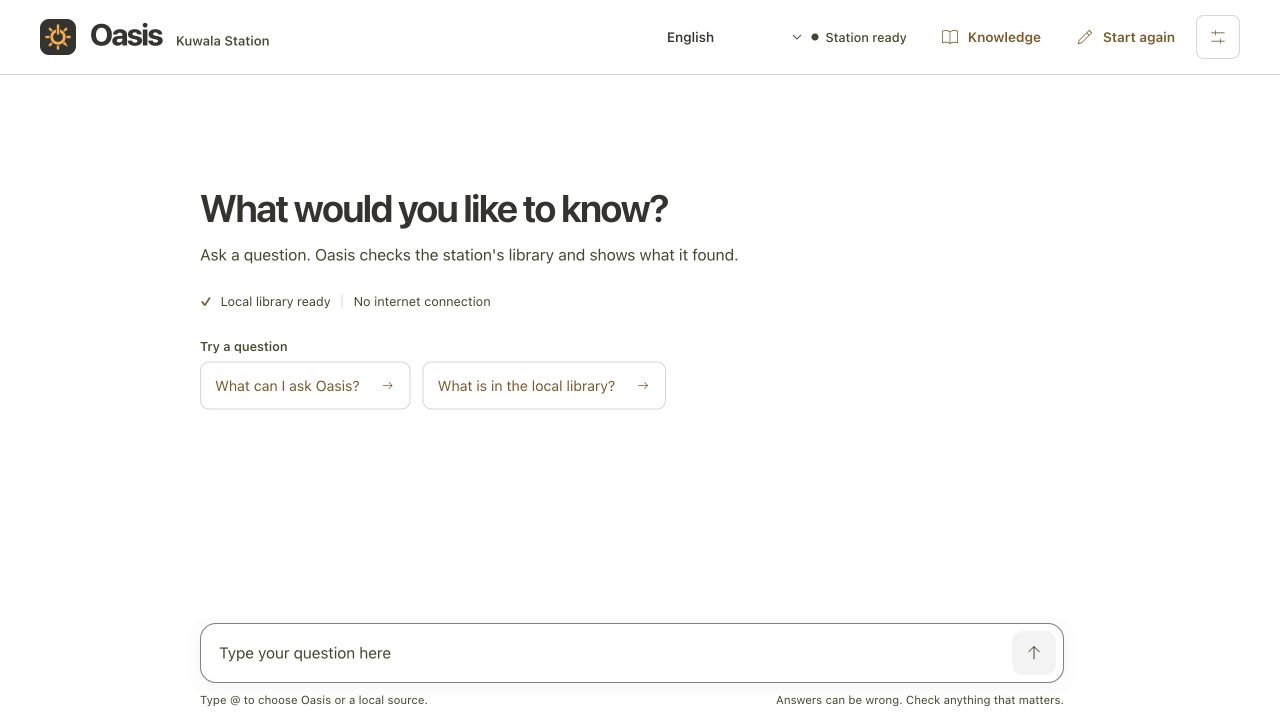
Kuwala is a box you walk up to and ask. It holds twenty reference libraries on its own disk, runs a small AI on solar power, and needs no signal, no account and no phone.

Ask in your own words. It searches the shelf, reads you the answer, and names the article it came from, so you can always see where it got that. If someone gives it a connection it can use the internet too, and it says so every single time.

What it is, and how it works

Everything the box does, and how it does it.

A box, not an app

Kuwala is a physical station: a screen, a camera, two sockets and a battery, with a folding solar panel beside it. There is nothing to install and nobody to sign up with. You walk up to it and start typing. It behaves exactly the same whether or not there is a signal for miles around.

Ask in your own words

No search box syntax, no keywords, no menus to work down. Ask the way you would ask a person, in a whole sentence, and it works out what you meant. The model runs on the box itself, so the answer comes back in seconds and nothing you type ever leaves the room.

Plain words

And in your own language

The shelf is written in English, but you do not have to be. Ask in the language spoken around the box and it translates both ways, on the box, with no connection involved. Machine translation is imperfect and it says so on any answer it has translated. Safety wording is the exception: that is written by people, checked by people, and never passed through the translator.

Translated on the box

Twenty libraries on the disk

Two general encyclopaedias, eight health references, four practical shelves and six for school and skills. Roughly sixty gigabytes of reading, stored locally and searched locally. The whole list, with article counts and sizes, is further down this page.

Local library

It reads before it answers

This is the part that matters. The box does not answer from memory. It searches the archives first, pulls the passages that actually cover your question, and writes the answer out of those, then tells you which article it used. When the shelf genuinely has nothing, it says so instead of inventing something that sounds right.

Grounded

It says where it got that

Every answer carries a label. Local library means it came off the disk. Internet means the box was connected and went and fetched it just now. The two are never quietly blended, and the connection stays off until somebody deliberately turns it on.

Labelled every time

It names the problem

Hold a sick leaf up to the camera and it tells you what is wrong, wilt or mosaic or a hungry plant, then reads the treatment out of the growing shelf. The same works for a radio that will not turn on or a pump that will not prime. It always shows you the page it took the answer from.

Crops and repairs

Health, handled carefully

Burns, bleeding, snakebite, fever. It searches two medical encyclopaedias alongside the emergency notes and the medicines reference, and reads you what they say with the article named. It will not tell you what illness you have. For that it points you to a person, every time, without exception.

Local library

Privacy if you want it

By default the box knows nothing about you. Ask anonymously and nothing is written to the disk or to a log. No account, no history, no company behind it holding your questions, so there is nothing to leak and nothing to hand over, and the next person who walks up finds an empty screen. If you would rather it remembered, you can keep a profile on the box and it will hold on to what you asked before, so you can carry on where you left off instead of starting again. Either way it stays on the box. Nothing is sent away, and you can wipe a profile whenever you want.

Anonymous by default

The shelf

Every archive it carries, and what each one weighs.

All of it on the disk, searchable the moment the box is switched on.

Encyclopaedias

The general spine. Start here and the box narrows down from there.

  • Wikipedia, Simple English394,563 articles · 938 MB

    The easy-read encyclopaedia. Short words, short pages. Good for a first answer.

  • English Wikipedia, no picturesabout 49 GB

    The full encyclopaedia, text only. We do not take the picture edition at 100 GB and up; it would fill the disk.

Health

Read out with the article named, every time. It will not tell you what illness you have.

  • MDWiki Medical Encyclopedia363,797 articles · 2.2 GB

    A medicine-first encyclopaedia. Illness, treatment, anatomy. First-aid reading, not a doctor.

  • WikiMed Medical Encyclopedia362,501 articles · 2.1 GB

    Wikipedia's medicine set packaged as its own library. Overlaps MDWiki. Search both when you want a health question searched hard, or turn one off when you want less noise.

  • MedlinePlus1.8 GB

    US National Library of Medicine patient pages. Plain-language health.

  • WikEM42 MB

    Emergency-medicine notes. Short, clinical, for what to do right now.

  • NHS Medicines A-Z16 MB

    What a medicine is for, and the usual warnings.

  • CDC Traveler's Health170 MB

    Vaccines, outbreaks, travel diseases.

  • Medicine LibreTexts1.1 GB

    Teaching texts, not a first-aid card.

  • Water and sanitation

    From the Kiwix medical bundle. Treatment, wells, hygiene.

Practical

The shelves that answer a question you are standing in front of.

  • Appropedia30,736 articles · 555 MB

    Appropriate technology. Compost, water, solar, building, village how-to. Not a general encyclopaedia.

  • iFixit

    Tear-down and repair manuals. Phones, radios, tools, household kit.

  • District OpenStreetMap

    A local map extract. Roads, clinics, villages. Not the whole planet.

  • Ministry and NGO snapshots

    Local health and agriculture pages, packaged for the box.

School and skills

For the people who come back a second time.

  • Kolibri

    Khan Academy with exercises. A separate app rather than an archive, installed alongside.

  • PhET

    Science and maths simulations.

  • LibreTexts

    Open textbooks.

  • freeCodeCamp

    Learn to code, offline.

  • TED packs

    Talks, including the medical sets.

  • Gutenberg

    Public-domain books.

Stack Overflow is skipped. At 107 GB it would take the disk on its own.

Plug in

Sockets on the side, and a signal if you want one.

Two 12 volt sockets

A 15 amp branch on its own switch and fuse. A fan, a lamp, a radio, a small pump.

62 watts of USB

USB-A and USB-C on their own 5 amp branch. Phones, tablets, a torch, a battery bank.

A Wi-Fi zone

Hang the box off Starlink and switch it on, and it hands out a signal to the yard around it. Off by default, like every other way out.

The brain keeps its share

Every branch is fused and switched on its own, so a busy socket cannot take the power out from under the box.

How it runs

The sun, one battery, and a brain that knows when to wake.

A folding panel

200 watts of panel into an MPPT controller. No grid, no generator, no bill.

One battery

12.8 volts, 50 amp-hours, on a shunt you can read. Enough to carry the night and a grey morning.

A small face, always on

A small, quick model sits awake all day so the screen answers the moment somebody arrives.

A stronger brain, on demand

A harder question wakes the bigger model. It drinks more watts, so it only runs when it is earned.