Kuwala is the portable solar-powered station. Oasis is the platform running on it for chat, search, reading and translation, with multiple PDF libraries in Oasis Knowledge.
The concept is agreed and Oasis is tested and working on Kuwala hardware in our lab. The next components are due before we bring everything together in the box.
01 / The roadmap
From working software to a complete station.
The concept and software foundations are in place. Now we’re preparing to build the first complete Kuwala station.
Where we are
Stage 3 of 5 Preparing the build.
Our next milestone is a complete station, ready for power, charging and Wi-Fi tests.
A portable station that brings local knowledge, shared solar power and Wi-Fi together.
02
Complete
Oasis tested and working
Chat, search, reading and translation are working on Kuwala hardware. Lab tests have checked Oasis with real questions and documents.
03
Current stage · Preparing the build
Build the first complete station
New components are due next. We’ll fit the computers, battery containers, charge controller and router into the box.
04
Next
Test everything together
Check solar charging, power use, running time and Wi-Fi reach, with the complete station working as one system.
05
Ahead
Learn through local trials
Agree a host and try everyday tasks together. Review language and accessibility, practise updating the libraries, then improve the station with the people using it.
We’ll keep improving answers and translations as the hardware comes together and trials begin. See the next checks →
02 / Progress and evidence
What we’ve checked so far.
Oasis is working on Kuwala hardware with real documents. Our checks show what’s useful already and where the next improvements will make a difference.
Oasis Knowledge now has 176 published PDFs across seven libraries, checked on . Visitors can browse, search, ask questions and open the originals, with subjects ranging from school learning and general knowledge to farming, water, shelter and repair. Explore the subjects in the collection →
A sustained 56-request test completed without a stream failure or restart. Browsing and source PDFs stayed available throughout. Answer quality is the next focus: we’re checking the meaning of explanations, their conditions and how well each source supports them.
Read the lab checks
On 13 October, 56 requests completed over 21 minutes 45 seconds: 49 returned local answers and seven clearly marked partial answers. The median response time was 61.48 seconds, including waiting. Visitors could see or cancel a queued question.
The answer review found missing qualifications about forage seeds, a misread energy source and study advice linked to an unsupported passage. These cases guide our next checks; service stability does not establish answer accuracy.
Oasis uses four local models: Ministral for answers, Nomic for finding passages, NLLB for translation and Qwen3 for follow-up suggestions. After an answer, Oasis can offer three suggested questions to help you explore further. Choose one or ask your own.
Suggestions appear while you read and are labelled Trial AI suggestions · English. We’re checking that they fit the conversation and the library, including whether they carry forward a mistake from an earlier answer.
Earlier source checks
Make the answer easy to check.
These 9 October checks used the then-current 85-PDF collection. A useful answer and an incomplete explanation both show the value of keeping the original pages close by.
How does a battery monitor estimate charge?
“The battery monitor continuously measures the current flow in and out of the battery.”
Manual – BMV-712 Smart: Battery monitor, Victron Energy · Rev 19, August 2026 · PDF page 22 (printed page 18), §5.1
Oasis explained how current measurements are added up over time, but blurred the difference between calculating charge and detecting a full battery. The linked manual lets us catch that distinction.
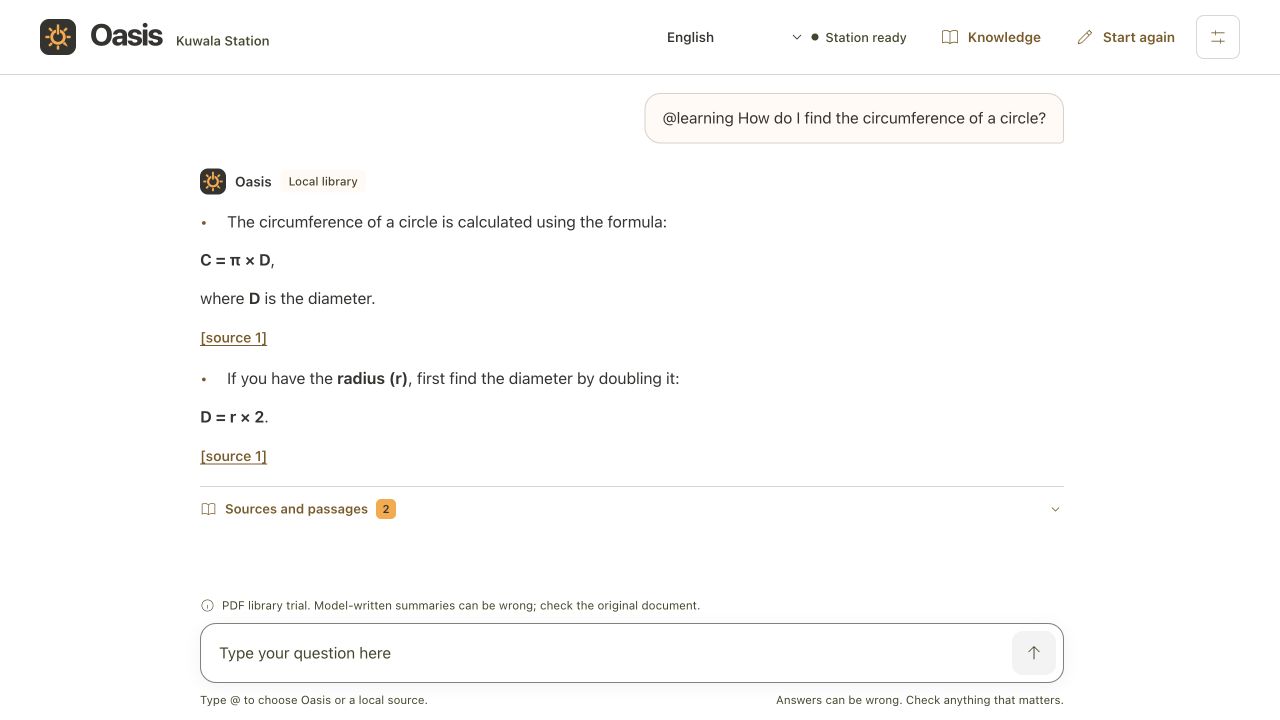
Oasis correctly gave C = π × D and explained that diameter is twice the radius. For a pipe 10 cm across, that gives a circumference of about 31.4 cm, backed by the cited worked example.
The live answer to the circle question, captured 9 October 2026. Both statements match the cited textbook page.
We record useful and incomplete answers together. These examples are individual checks, not an accuracy rate: 9 October results · earlier notes.
03 / The Oasis platform
Ask Oasis. Read the source.
Ask Oasis in your own words. It finds relevant passages and explains them, with links back to the original pages. Keep the conversation going with a follow-up, or translate an answer to read it in another language.
If you’re wondering, Oasis stands for Off-grid Autonomous Solar Intelligence System. The name just worked well.
01 / ASK
Ask a question.
Choose a library and ask. Oasis can suggest follow-up questions, or you can take the conversation your own way.
02 / LOOK UP
Search the library.
Oasis finds relevant passages in the PDFs. You can browse and read the documents yourself, too.
03 / CHECK
Check the answer.
Open the original pages, check the context and decide how the guidance applies.
Live lab preview
Try Oasis on Kuwala.
Open the Oasis web app and connect to Kuwala in our lab. When the station is online, browse Oasis Knowledge, ask a question and open the documents behind an answer.
The web app and books you’ve saved on your device stay available when the station is off. Chat, search, translation and new downloads need a connection to the station.
The remote lab preview needs approved email access and an internet connection. To request access, email hello@kuwala.space. Beside a station, you connect over local Wi-Fi.
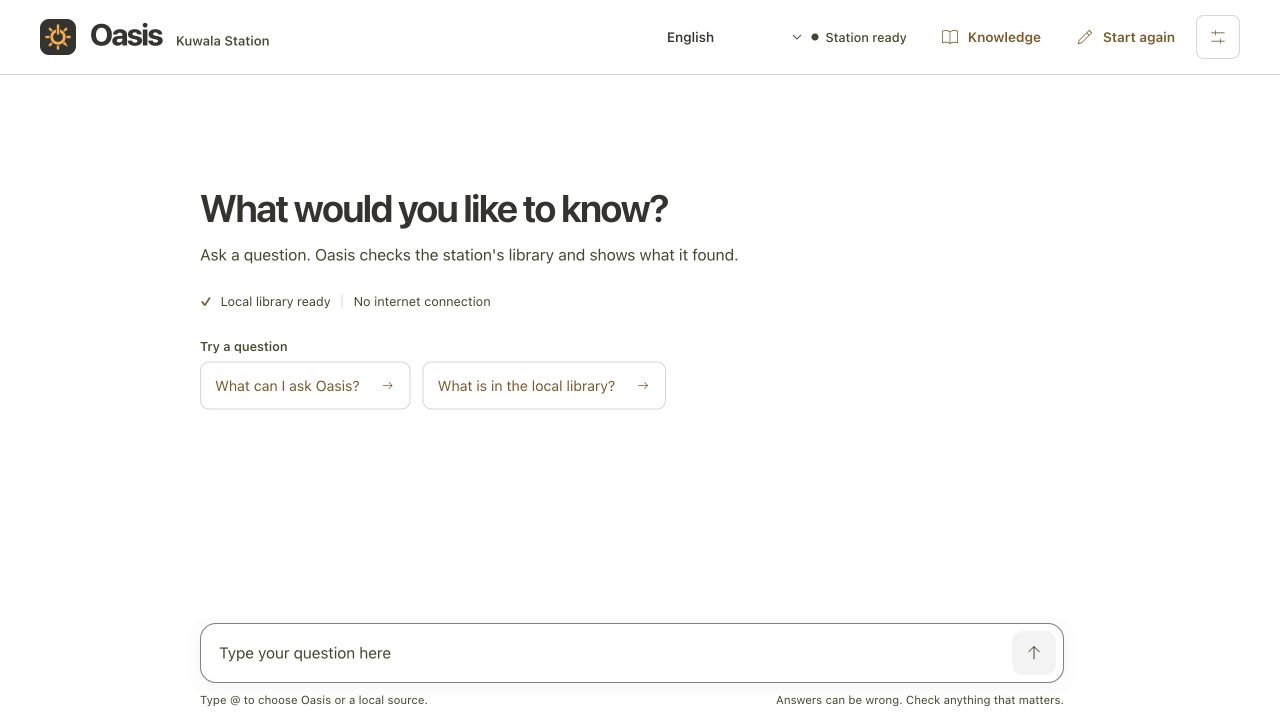
Oasis chat, captured 9 October 2026. Try the live preview to see the current interface.
04 / Language and access
Read and discuss it in another language.
A guide in English can become part of a conversation in Chichewa. Oasis can translate a completed English answer or readable English text on a PDF page, with the original close by for comparison.
Eight languages are offered: Chichewa / Nyanja, French, Swahili and Zulu, plus Tumbuka, Bemba, Portuguese and Shona as labelled trials awaiting speaker review. All use machine translation.
Language support can grow with the community. We download the translation model during setup for offline use; all eight languages use the installed model. We can prepare and check further languages it supports with a local host.
Translation that stays on the station
Translation runs on Kuwala when requested, without an internet connection. The English answer, source links and PDF stay available, including the original diagrams and layout.
Page translation works with readable text. Image-only scans need text recognition first.
Keep important details intact
Checks protect source references, numbers and recognised units. Where a sentence fails, Oasis retains the English and marks the translation as partial.
Fluent speakers will help us check meaning, technical terms and local usage. Preserving a number does not guarantee that the explanation around it is right.
Read the translation checks
On 13 October, a Tumbuka answer and a Portuguese PDF page were translated through the live service, keeping originals and source references available.
A French seed-drying translation changed 35–40°C to 35°C; the check caught this and kept the sentence in English. Another output turned “pressed specimens” into printed samples while preserving its numbers. These examples show why speaker review matters alongside software checks.
Oasis Knowledge brings together schoolbooks, practical guides and reference material. Explore maths and science, history and geography, growing food, caring for water, building homes or understanding how equipment works.
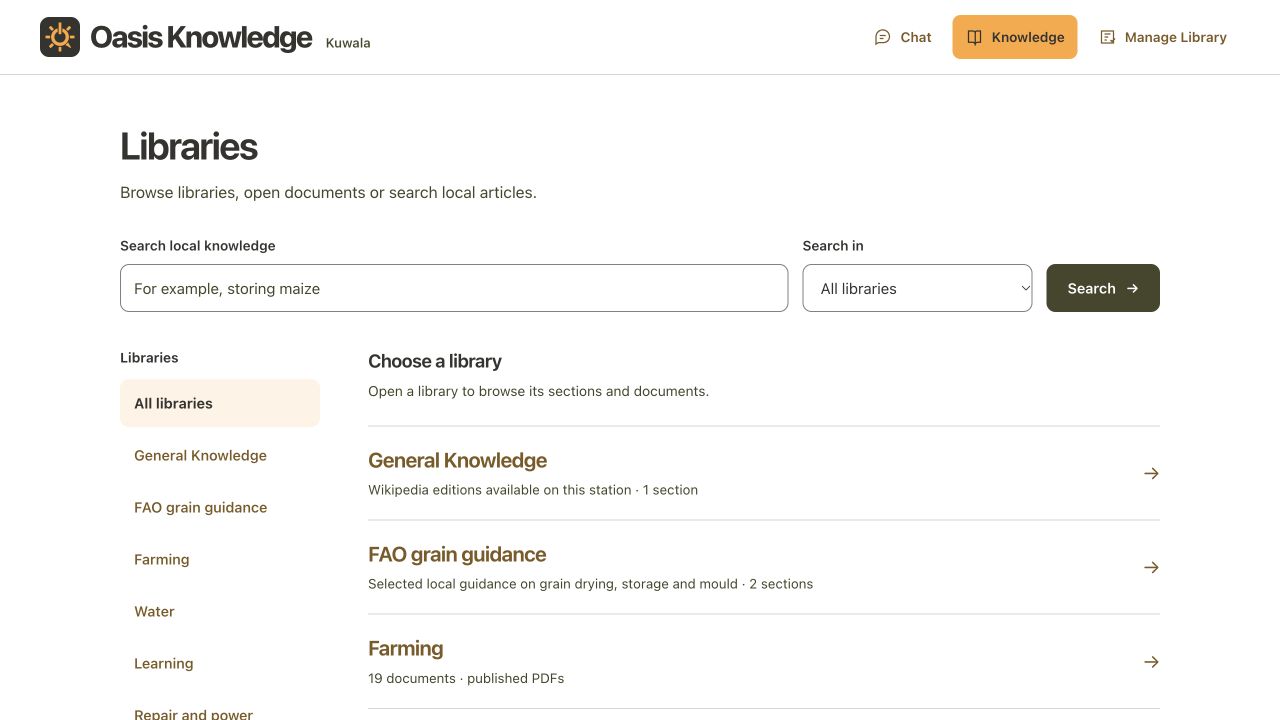
The live collection now has 176 published PDFs across seven libraries. Each library covers a broad subject, with sections to help you narrow down to a topic and choose what to read or ask Oasis about.
Browse Oasis KnowledgeOasis Knowledge, captured 9 October 2026. The live collection has grown since this screen was taken.
Library storage
A library with room to grow.
A dedicated 2 TB drive stores the PDFs and search indexes. At around 10 MB per PDF, we estimate space for more than 100,000 PDFs, including room for indexes and updates.
File sizes vary. Searching a collection that large still needs development and testing; this is a storage estimate.
Learning
Reading and languages, maths, science, history and citizenship, geography and maps, and the natural world. Also teaching, accessibility, digital skills, work and business.
Farming
Crops and seeds, soil and water, home gardens, livestock and fish farming, trees and agroforestry, and harvest and food storage.
Water
Drinking water and sanitation, rainwater, pumps and water supply, and accessible water and hygiene facilities at home and school.
Building and shelter
Safe homes, shelter in a crisis, hosting, and inclusive housing and communities.
Health and wellbeing
First aid and disease prevention, family health and nutrition, mental wellbeing, disability and inclusive care, and menstrual health. Read the guidance directly; Oasis cannot diagnose illness or replace professional care.
Repair and power
Solar equipment, batteries and charge controllers, motors and electrical safety, with original equipment manuals to consult.
Energy and preparedness
Off-grid energy and solar, emergency preparedness, heat safety, and solar drying and food processing.
Collection checked . These are broad libraries and examples of their sections; some PDFs appear in more than one library or section.
This is a testing collection. Each local team should review relevance, permissions and safe use.
Adding to the collection
Add a guide. Share it locally.
The local team can add PDFs on other subjects and organise new libraries and sections in Oasis Knowledge. Material is checked, indexed and published before it appears in the visitor collection, ready to search and read.
Scans may need text recognition. Encrypted PDFs cannot currently be indexed.
We’re exploring an online collection for downloading new guides and updated editions when internet is available, ready to use offline afterwards.
06 / Inside the station
What’s inside Kuwala?
Two compact computers, local Wi-Fi and solar power bring Oasis to a shared device.
The computers are running in our lab. We’re preparing to assemble the complete station for testing.
Knowledge and connection
A shared recycled deviceEach station will include at least one recycled device to share, so people can use Oasis without owning a phone or tablet. Other compatible devices can join the local Wi-Fi too.
Two AI computersAn NVIDIA Jetson Orin Nano and Raspberry Pi 5 share the work of running Oasis. An AI accelerator helps prepare follow-up questions.
Local storageSeparate drives hold the software and provide 2 TB for PDFs and search indexes.
Router and Wi-FiConnect nearby devices, with optional satellite-based internet for online access.
Power and protection
Panel and charge controllerA folding solar panel and charge controller keep the battery charged.
Battery and protectionA protected battery stores solar power, with a monitor to keep track of charge.
USB and 12-volt outletsFour USB ports and two switched 12-volt outlets supply compatible devices and equipment.
Oasis / The software inside
Four models. Four jobs.
Oasis uses four compact models, each with a distinct role. All four run locally on Kuwala.
Suggests questions based on the answer and conversation. Your answer arrives first, then ideas for what to explore next. Suggestions are currently English trials.
Once the station is assembled, we’ll test it as a complete system. We’ll combine what we’ve learned in the lab with practical checks and, once a host is agreed, a first local trial.
How we’re tackling the challenges
Finding useful information
Search by words or meaning, narrow to a library or document and open the source pages.
Next: Compare the same task with and without chat. Check understanding, time taken and where people need help.
Explaining sources faithfully
Oasis reads supporting passages and checks quotations, references and unsupported numbers.
Next: Review more answers and follow-ups, including difficult documents and questions the library cannot answer. Check meaning as well as citations.
Making translation useful
Local translation keeps originals available and labels additional language trials.
Next: Work with fluent speakers and readers on complete examples. Check technical terms, local wording and whether translation helps people understand the guidance.
Power and access
Oasis and the libraries in Oasis Knowledge work locally on Kuwala. Solar charging, batteries and Wi-Fi will bring them together in the portable station.
Next: Test disconnected use, charging loads, running time, Wi-Fi reach and energy used per task.
Keeping the library useful
The local team can upload PDFs and organise libraries. Collections are checked and indexed before publication.
Next: Choose material with a host, practise updates and check language, reading level and accessibility with readers.